Loops
A block of code can be run in a loop as long as a certain condition is met. Loops are helpful because they save time, cut down on mistakes, and make code easier to read.
Loop: While
The while loop runs a block of code over and over again as long as a certain condition is true:
while (condition) {
  // code block to be executed
}
In the example below, the code in the loop will run, over and over again, as long as a variable (i) is less than 5:
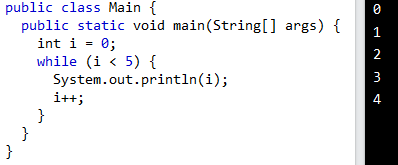
Note: Do not forget to increase the variable used in the condition, otherwise the loop will never end!
Loop: Do/While
The do/while loop is a variant of the while loop. This loop will execute the code block once, before checking if the condition is true, then it will repeat the loop as long as the condition is true.
do {
  // code block to be executed
}
while (condition);
The example below uses a do/while loop. The loop will always be executed at least once, even if the condition is false, because the code block is executed before the condition is tested:
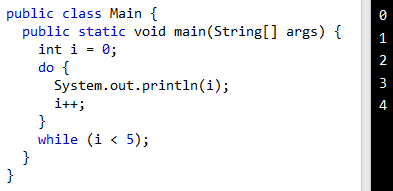
Do not forget to increase the variable used in the condition, otherwise the loop will never end!
For Loop
When you know exactly how many times you want to loop through a block of code, use the for loop instead of a while loop:
for (statement 1; statement 2; statement 3) {
  // code block to be executed
}
Statement 1 is carried out once before the code block is carried out.
Statement 2 says what needs to be true for the code block to run.
After the code block has been run, the third statement is always run.
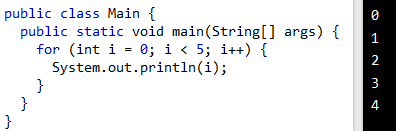
Example explained
Statement 1 sets a variable (int i= 0) before the loop begins.
Statement 2 says what must happen for the loop to run (i must be less than 5). If the condition is true, the loop will start over, but if it is false, the loop will end.
Statement 3 makes a value go up by one (i++) every time the code block in the loop is run.
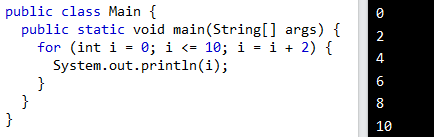
Another Example
This example will only print even values between 0 and 10:
Nested Loops
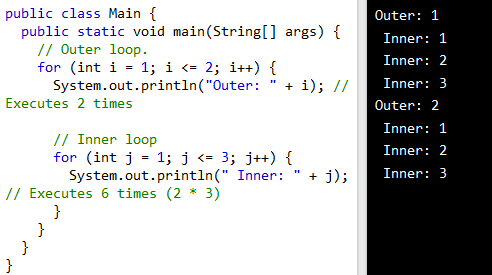
You can also put a loop inside of another loop. We call this a "nested loop." Every time the "outer loop" is run, the "inner loop" will be run once:
For-Each Loop
There is also a "for-each" loop, which is used exclusively to loop through elements in an array:
for (type variableName : arrayName) {
  // code block to be executed
}
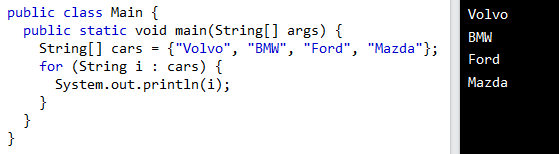
The following example outputs all elements in the cars array, using a "for-each" loop:
Java Break
You have already seen the break statement used in this tutorial. It allowed a switch statement to "jump out."
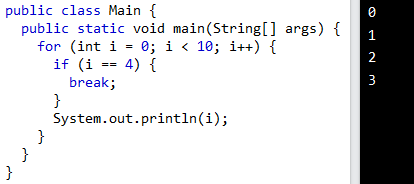
You can also break out of a loop with the break statement.
When I = 4, this example stops the loop:
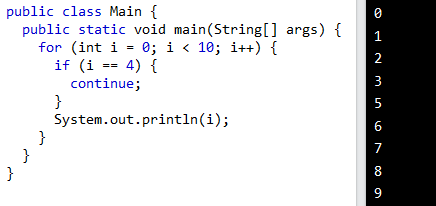
Java Continue
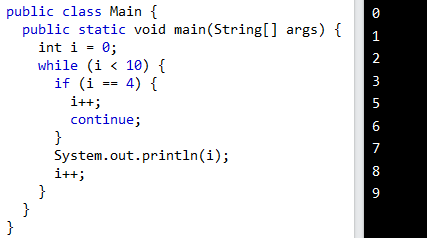
If a certain condition is met, the continue statement stops one iteration in the loop and moves on to the next iteration in the loop.
This example doesn't use the number 4:
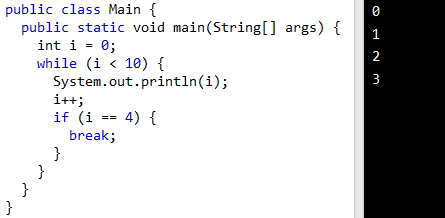
Break in While Loop
You can also use break in while loops:
Continue in While Loop
You can also use continue in while loops: