Java If Statements and Conditions
Java is compatible with the standard mathematical logical conditions:
- Less than: a < b
- Less than or equal to: a <= b
- Greater than: a > b
- Greater than or equal to: a >= b
- Equal to a == b
- Not Equal to: a != b
These parameters can be used to trigger specific behaviors in response to specific decisions.
In Java, you can use the following if/then statements:
- Use if to specify a block of code to be executed, if a specified condition is true
- Use else to specify a block of code to be executed, if the same condition is false
- Use else if to specify a new condition to test, if the first condition is false
- Use switch to specify many alternative blocks of code to be executed
if Statement
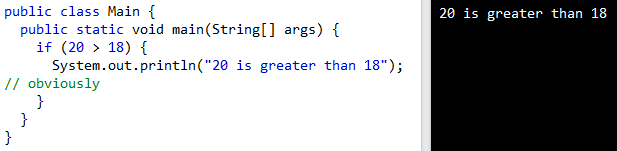
Use the if statement to specify a block of Java code to be executed if a condition is true.
if (condition) {
  // block of code to be executed if the condition is true
}
If is written with lowercase letters. If or IF written with all capital letters will cause an error.
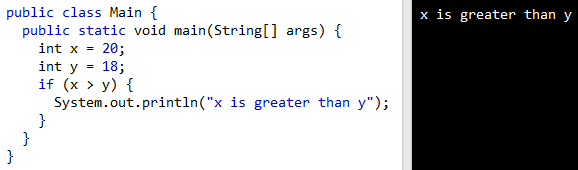
Example explained
In the above example, we use two variables, x and y, and the > operator to see if x is greater than y. Since x is 20 and y is 18, and we know that 20 is bigger than 18, we write "x is bigger than y" on the screen.
else Statement
Use the else statement to specify a block of code to be executed if the condition is false.
if (condition) {
   // block of code to be executed if the condition is true
}
 else {
   // block of code to be executed if the condition is false
}
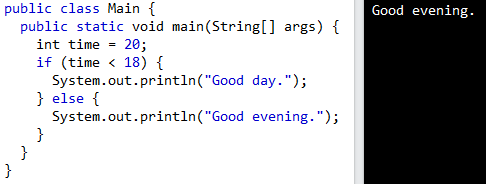
Example explained
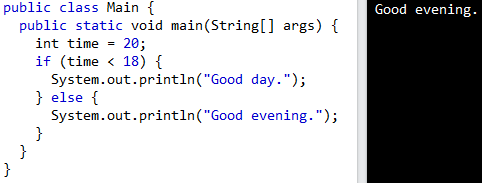
In the example above, time (20) is bigger than 18, so the condition is false. So, we move on to the else condition and print "Good evening" to the screen. If the time was less than 18, the program would say "Good day."
else if Statement
Use the else if statement to specify a new condition if the first condition is false.
if (condition1) {
  // block of code to be executed if condition1 is true
} else if (condition2) {
  // block of code to be executed if the condition1 is false and condition2 is true
} else {
  // block of code to be executed if the condition1 is false and condition2 is false
}
Example explained
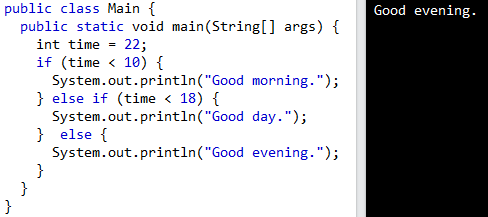
In the above example, time (22) is greater than 10, so the first condition is false. The next condition in the else if statement is also false. Since both conditions 1 and 2 are false, we move on to the else condition and print "Good evening" to the screen. But if the time was 14, "Good day" would be printed by our program.
Short Hand If...Else
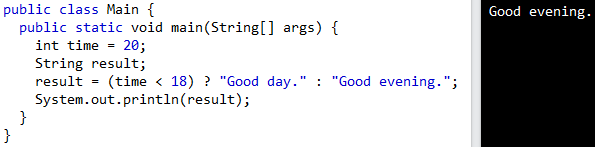
There is also a short-hand if else, which is known as the ternary operator because it consists of three operands. It can be used to replace multiple lines of code with a single line, and is most often used to replace simple if else statements:
variable = (condition) ? expressionTrue : expressionFalse;
Instead of writing:
We can simply write: