Java Data Types
As explained in the previous chapter, a variable in Java must be a specified data type:
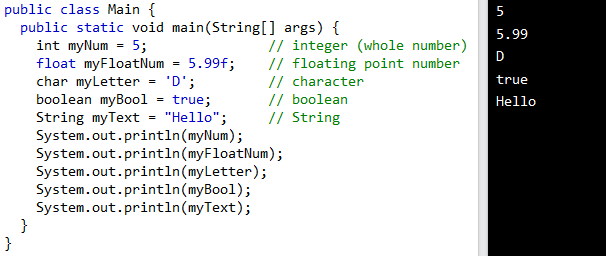
Data types are divided into two groups:
- Primitive data types - includes byte, short, int, long, float, double, boolean and char
- Non-primitive data types - such as String, Arrays and Classes (you will learn more about these in a later chapter)
Primitive Data Types
- A primitive data type specifies the size and type of variable values, and it has no additional methods.
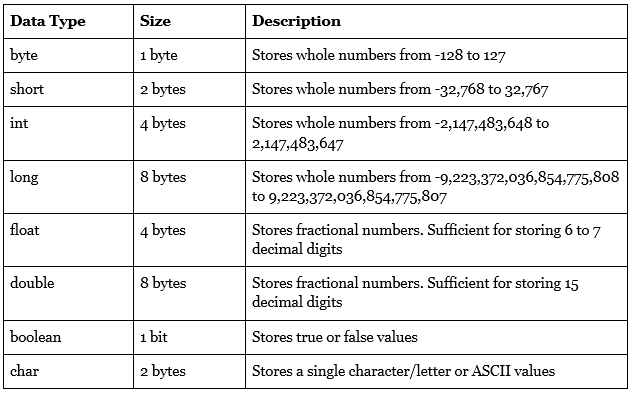
- There are eight primitive data types in Java:
Numbers
Primitive number types are divided into two groups:
Integer types stores whole numbers, positive or negative (such as 123 or -456), without decimals. Valid types are byte, short, int and long. Which type you should use, depends on the numeric value.
Floating point types represents numbers with a fractional part, containing one or more decimals. There are two types: float and double.
Integer Types
Byte
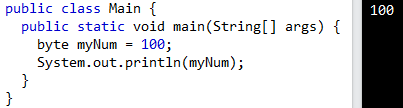
The byte data type can store whole numbers from -128 to 127. This can be used instead of int or other integer types to save memory when you are certain that the value will be within -128 and 127.
Short
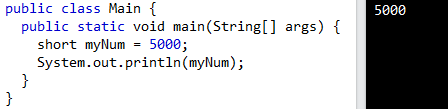
The short data type can store whole numbers from -32768 to 32767.
Int
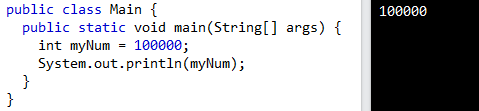
The int data type can store whole numbers from -2147483648 to 2147483647. In general, and in our tutorial, the int data type is the preferred data type when we create variables with a numeric value.
Long
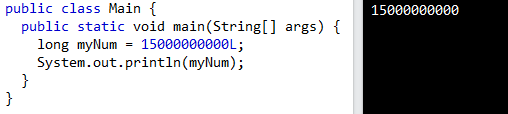
The long data type can store whole numbers from -9223372036854775808 to 9223372036854775807. This is used when int is not large enough to store the value. Note that you should end the value with an "L".
Floating Point Types
You should use a floating point type whenever you need a number with a decimal, such as 9.99 or 3.14515.
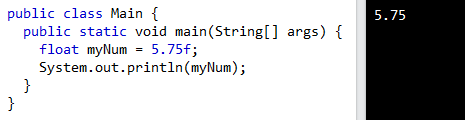
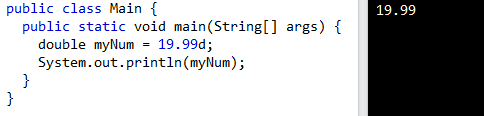
The float and double data types can store fractional numbers. Note that you should end the value with an "f" for floats and "d" for doubles.
Use float or double?
The precision of a floating point value indicates how many digits the value can have after the decimal point. The precision of float is only six or seven decimal digits, while double variables have a precision of about 15 digits. Therefore it is safer to use double for most calculations.
Scientific Numbers
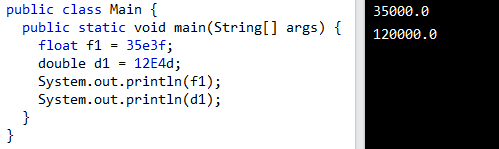
A floating point number can also be a scientific number with an "e" to indicate the power of 10.
Boolean Types
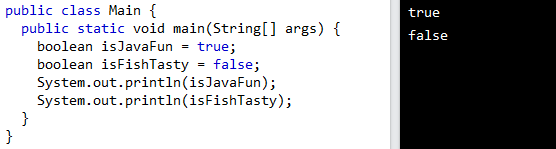
Very often in programming, you will need a data type that can only have one of two values, like:
- YES / NO
- ON / OFF
- TRUE / FALSE
For this, Java has a boolean data type, which can only take the values true or false.
Characters
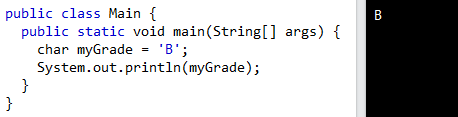
The char data type is used to store a single character. The character must be surrounded by single quotes, like 'A' or 'c'.
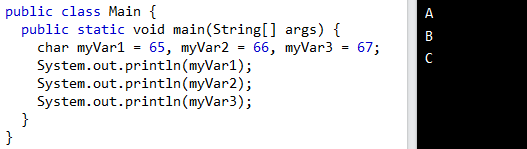
Alternatively, if you are familiar with ASCII values, you can use those to display certain characters:
Strings
The String data type is used to store a sequence of characters (text). String values must be surrounded by double quotes.
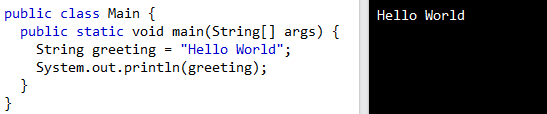
Some Java programmers refer to the String data type as "the special ninth type" due to its pervasiveness and importance in the programming language.
Since a Java String always refers to an object, it is not a primitive data type. You can manipulate strings by calling on the String object's methods. If the concept of "object" seems foreign right now, don't worry. In the next chapter, we'll dive deeper into the world of objects and strings.
Non-Primitive Data Types
Non-primitive data types are called reference types because they refer to objects.
The main difference between primitive and non-primitive data types are:
- Primitive types are predefined (already defined) in Java. Non-primitive types are created by the programmer and is not defined by Java (except for String).
- Non-primitive types can be used to call methods to perform certain operations, while primitive types cannot.
- A primitive type has always a value, while non-primitive types can be null.
- A primitive type starts with a lowercase letter, while non-primitive types starts with an uppercase letter.
- The size of a primitive type depends on the data type, while non-primitive types have all the same size.